1 工具介绍Introduction to the Tool
一款芯片的快速集成,离不开MCAL的软件快速迭代,在ECU的Autosar开发过程中,MCAL大部分情况下需要在EB Tresos软件里进行配置。如今,知从木牛工具为MCAL的配置提供了更加高效、稳定的全新方案。本次升级进一步完善了工程中EB Tresos模块的导入逻辑,显著优化了用户配置体验。本文将简要介绍如何将EB Tresos MCAL模块无缝导入升级后的木牛工具,并高效生成高质量代码。
The rapid integration of a chip relies on the rapid iteration of MCAL software. In the Autosar development process of ECU, MCAL mostly needs to be configured in EB Tresos software. Nowadays, Zhicong MuNiu tool provides a more efficient and stable new solution for MCAL configuration. This upgrade further improves the import logic of the EB Tresos module in the project and significantly optimizes the user configuration experience. This article will briefly introduce how to seamlessly import the EB Tresos MCAL module into the upgraded Mu Niu tool and efficiently generate high-quality code.
新建木牛工程并导入EB Tresos MCAL模块:
Create a new wooden cow project and import it into the EB Tresos MCAL module:
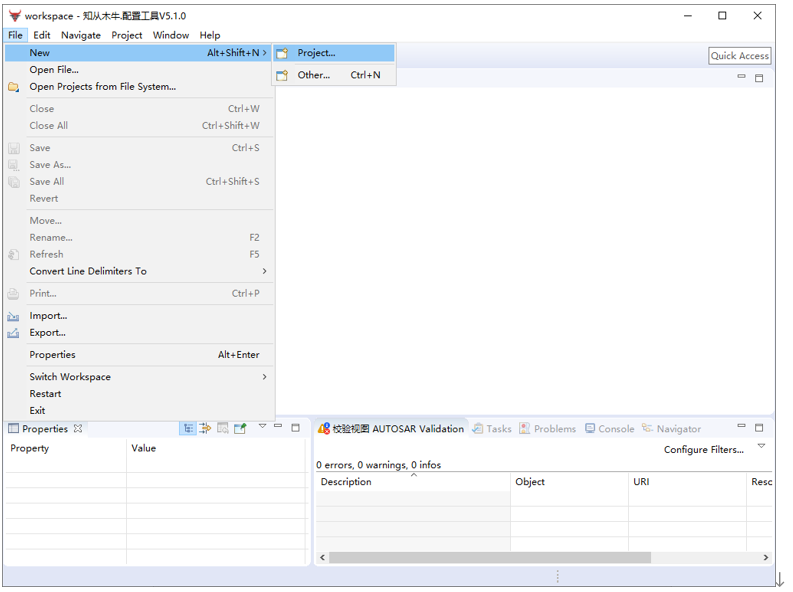
Ø 在木牛工具的Workspace里"File->New",选择新建AUTOSAR Project配置工程。
In the Workspace of the Mu Niu tool, select "File ->New" and choose to create a new AUTOSAR Project configuration project.
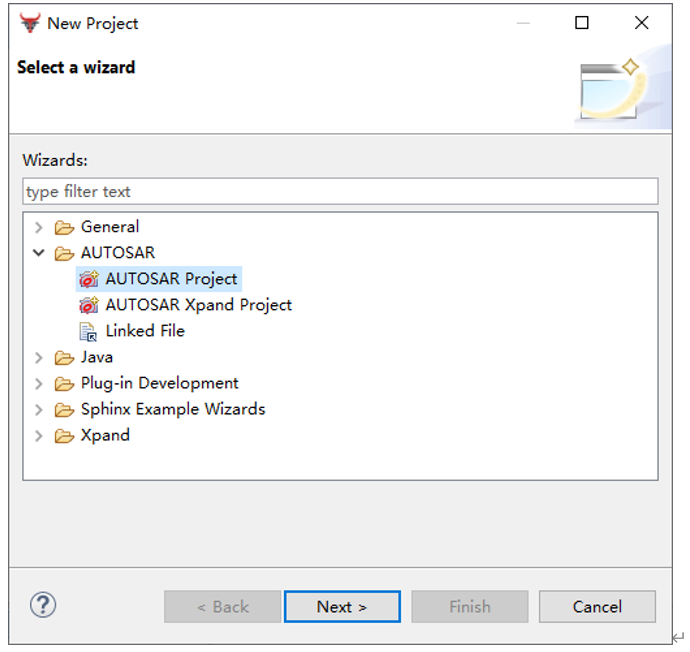
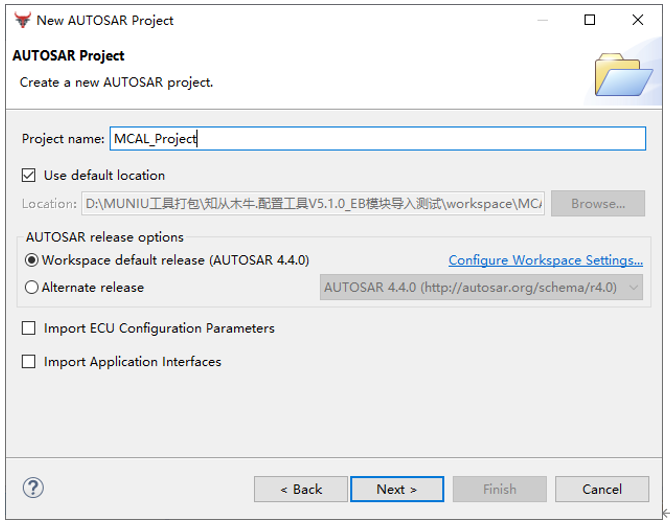
Ø 工程的名称“MCAL_Project”,根据需要设置工程的保存位置与AUTOSAR的版本。
The name of the project is "MCAL_Project", and the save location and AUTOSAR version of the project should be set as needed.
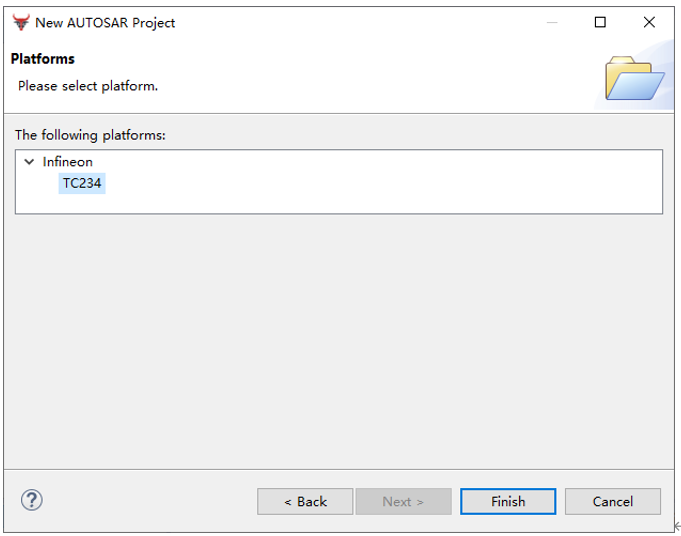
Ø 根据需要选择芯片,完成工程创建;
Select chips as needed and complete project creation.
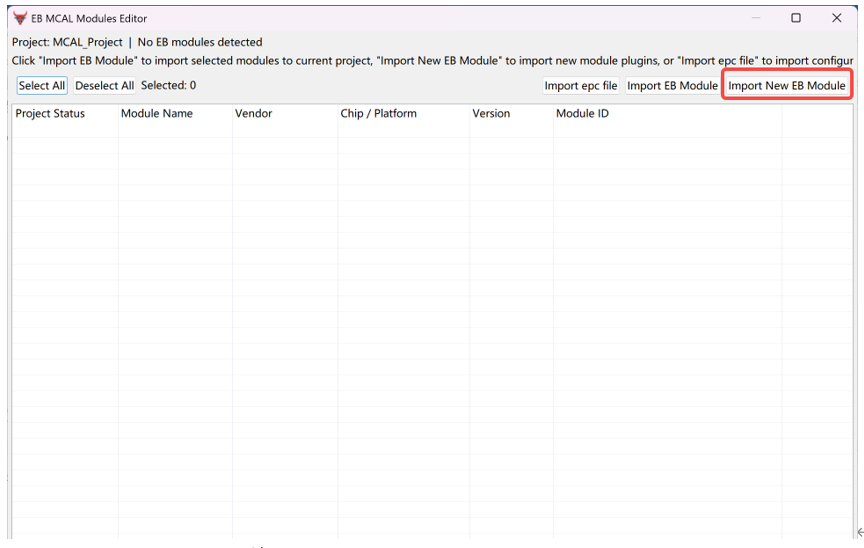
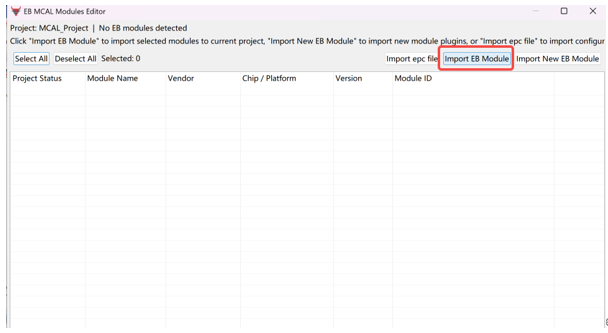
Ø 创建好工程后,打开EB MCAL 模块编辑器,选择导入新的EB模块
After creating the project, open the EB MCAL module editor and select to import the new EB module
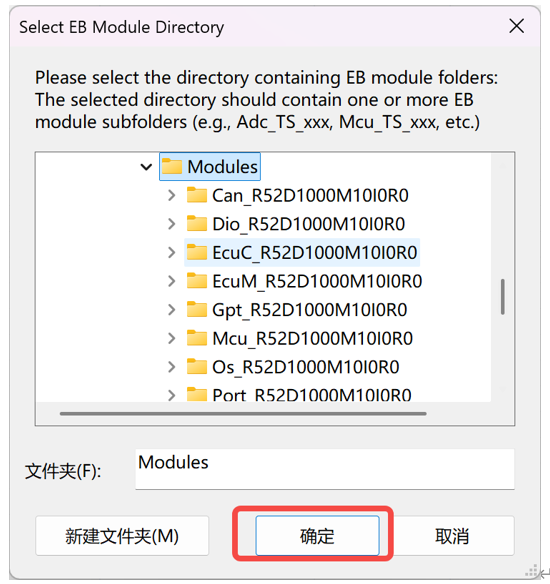
Ø 选择EB模块所在的文件夹并导入
Select the folder where the EB module is located and import it.
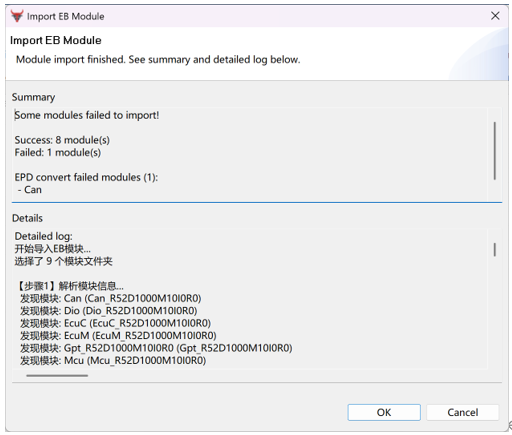
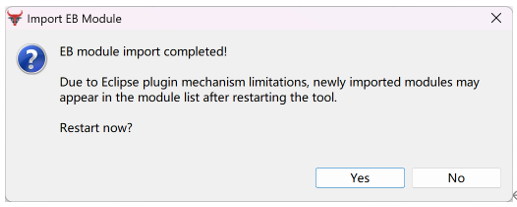
Ø 导入模块后,工具会自动重启,重启后模块就导入到工具中了
After importing the module, the tool will automatically restart, and the module will be imported into the tool after the restart.
Ø 将模块成功导入工具后,在工程中导入当前工程所需模块。
After successfully importing the module into the tool, import the required modules for the current project into the project.
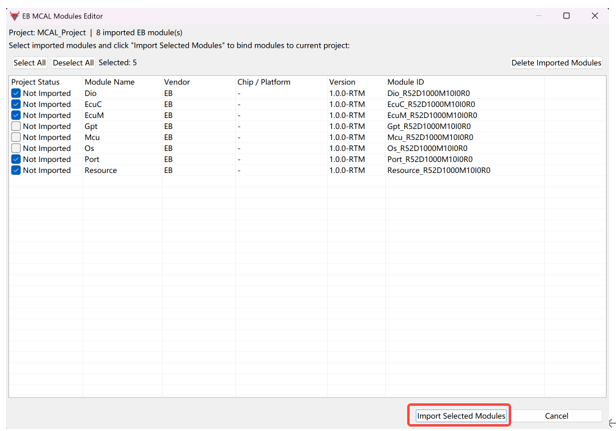
Ø 导入后工具会重启Basic Editor
After importing, the tool will restart the Basic Editor.
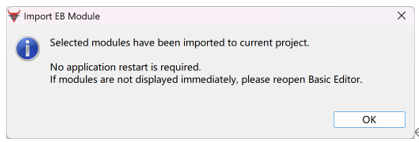
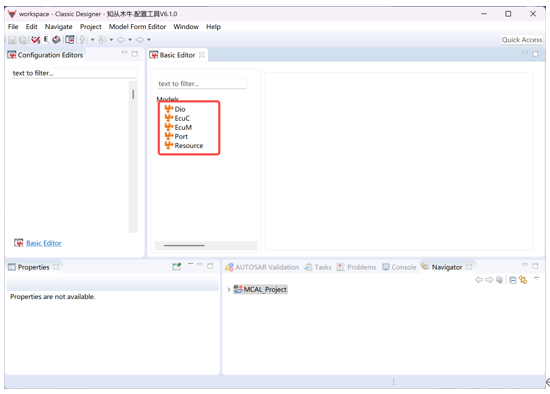
Ø 可以看到模块已成功被导入
You can see that the module has been successfully imported.
2 导入EB Tresos epc文件并生成代码Import EB TRESOS EPC file and generate code
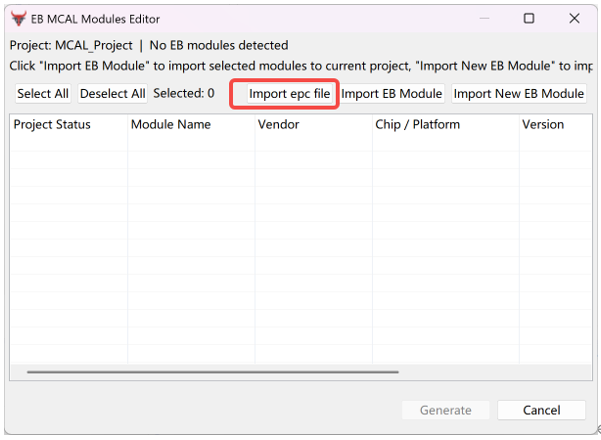
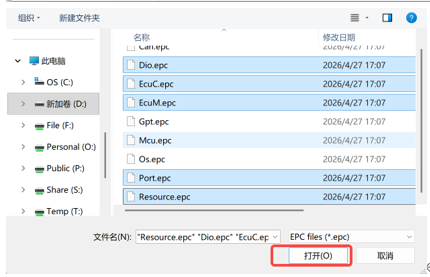
Ø 模块导入完成后,可打开木牛工具的EB模块编辑器导入对应模块的epc文件,支持多选After the module import is completed, you can open the EB module editor of the Mu Niu tool to import the corresponding module's EPC file, which supports multiple selections
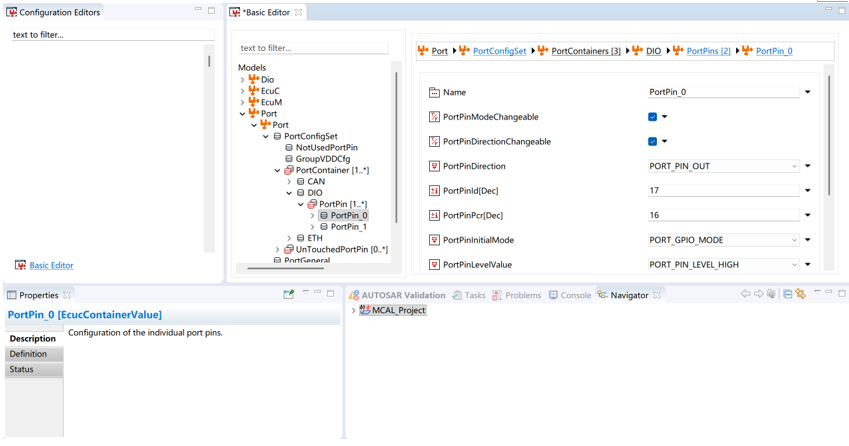
Ø 导入epc文件后,可看到模块数据已经配置完毕
After importing the EPC file, it can be seen that the module data has been configured completely
Ø 此时再次打开EB模块编辑器,可选择想要生成的模块生成代码
At this point, open the EB module editor again and select the module you want to generate code for
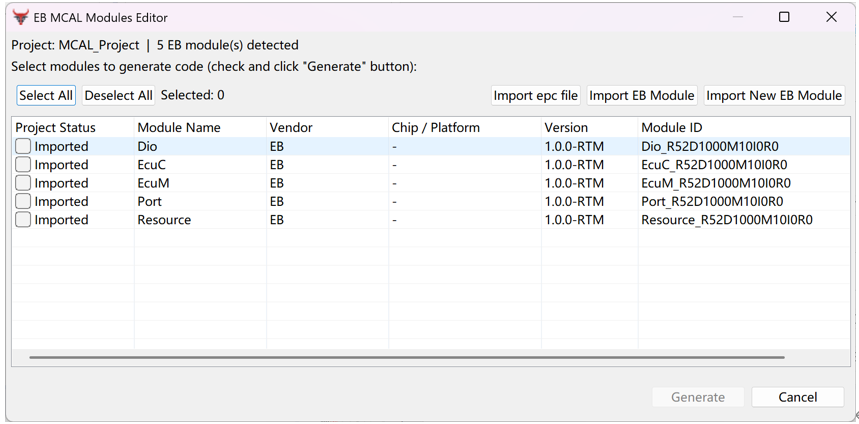
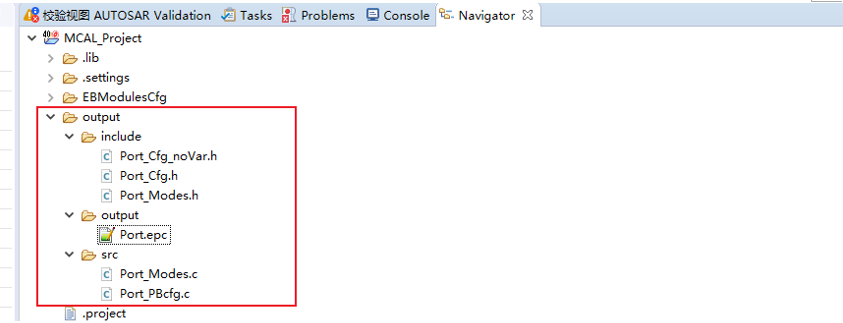
Ø 点击生成后,在工程的output文件夹中可见生成代码
After clicking generate, the generated code can be seen in the output folder of the project
木牛工具在导入EB模块时,无需考虑模块的加密情况,并且支持针对模块代码生成逻辑的编辑,也支持使用EB工具语法独立开发的模块的配置与生成。
When importing EB modules, the Mu Niu tool does not need to consider module encryption and supports editing of module code generation logic. It also supports configuration and generation of independently developed modules using EB tool syntax
 写回答
写回答